Marquee
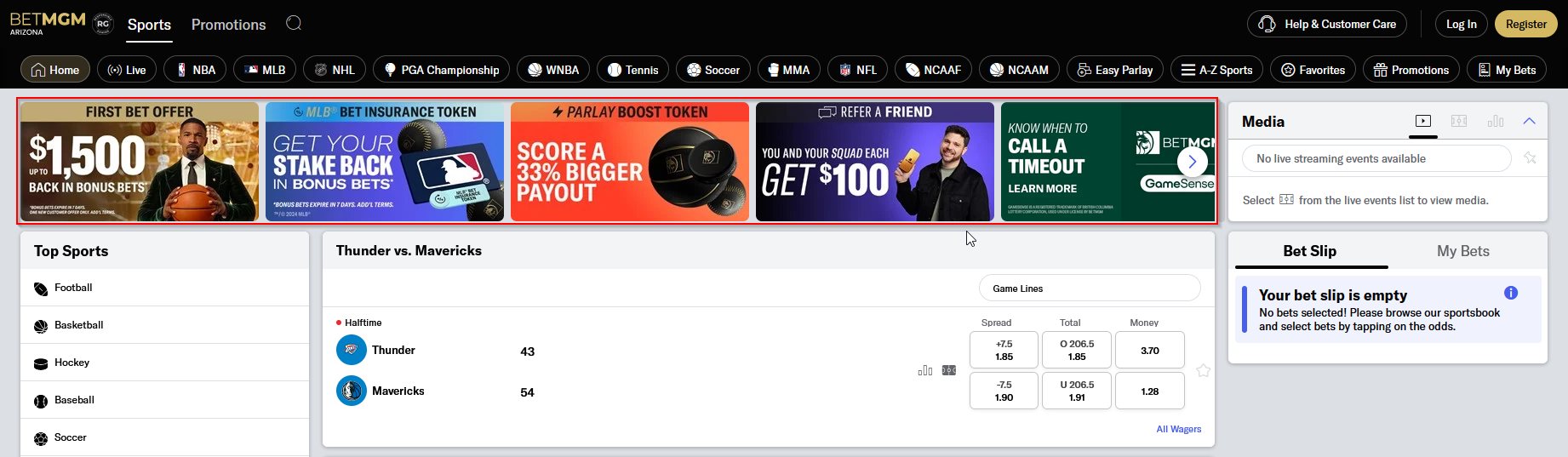
The marquee is a scrollable area located at the top of the sports page, it is used to display ongoing promotions, announcements, and futures.
Content > Vanilla.Mobile > State/Brand > MoileSports-v1.0 > ModulesContent > US > MarqueeEvents
Creating a Marquee Item
To create one, we can simple duplicate an exisiting marquee item. To name the item it is important to not use any space, so we can the MPP or Landing Page url if there is any or just use the ticket name but the spaced is replaced with a dash(-).
Required Fields
Field | Value |
|---|---|
Data | |
Link URL | See CTA Guide |
NativeLink URL | Same with Link URL |
Image |
|
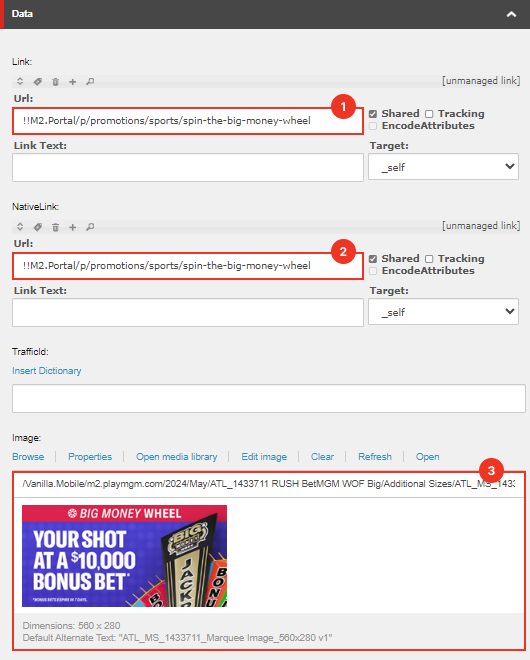
Applying Filters
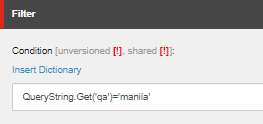
If the marquee is new, add a filter on it so that it won't show up to the live website, but we will still be able to preview it
QueryString.Get('qa')='manila'
Previewing
To preview the marquee go to the state's sports website and add the filter as a query param. For example:
https://sports.az.betmgm.com/en/sports?qa=manila
You can now take a screenshot to add as a comment for your ticket.