WOF Carousel

For Wheel Of Fortune Casino, the difference is that the path to create a Carousel Slide is different and there is no need to push each Carousel Item.
Content > Vanilla.Mobile > m2.wheeloffortunecasino.com > MobileCasino-v1.0 > OptimizedTeasers > TeaserItems > HomeF
Creating Your Carousel
We can just follow the usual steps for creating the usual casino carousel from the parent guide, and always create a new carousel slide under the RECENTLY BUILT BY MANILA marker.
Required Fields
Compared to the usual casino carousel build, the fields are mostly similar with just the order quite change and some changes to note.
Field | Value |
|---|---|
TeaserContent | |
TeaserTitle | Carousel H1 |
SubTitle | Carousel H2 |
CTA | See CTA Guide |
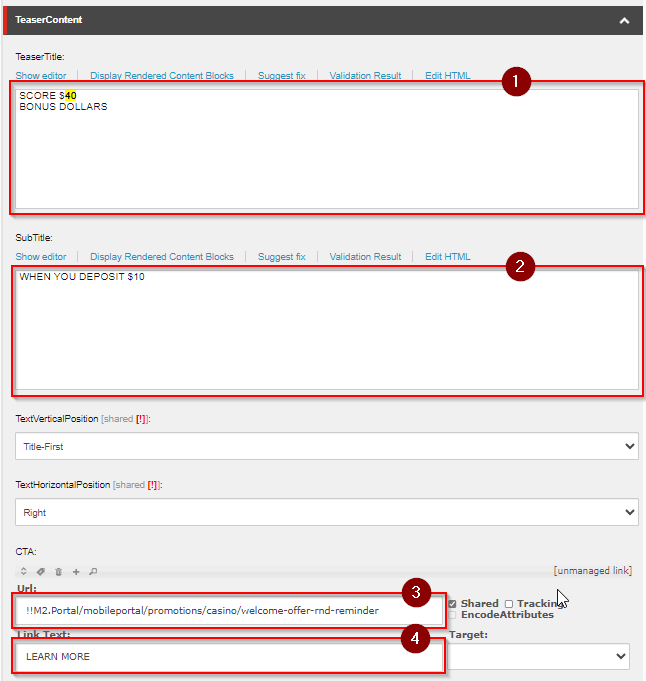
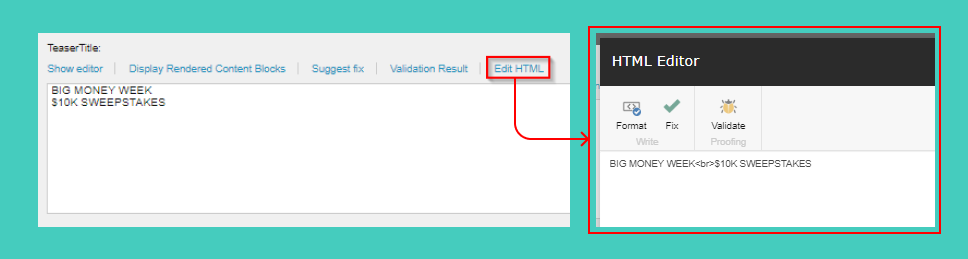
Compared to the default carousel, the text fields is inputted in a rich text editor, add <br> tags to break spacing of words
Filter | |
Condition | If new, add a preview filter. |

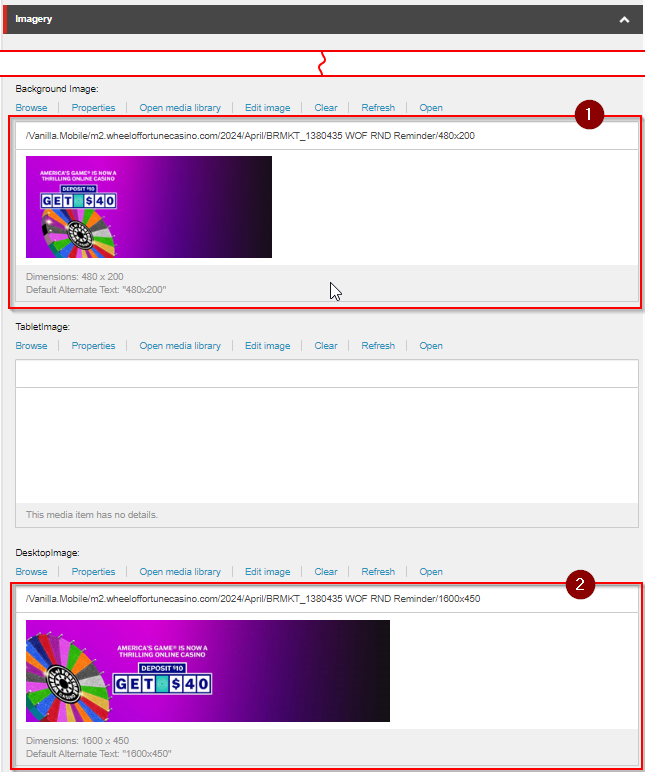
Imagery | |
Background Image |
|
DesktopImage |
|
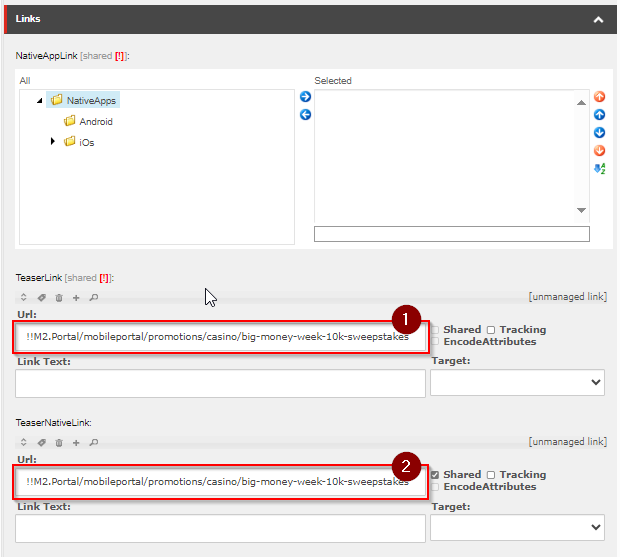
The WOF Carousel is limited to 6 slides. Therefore, if there are active slides in the 7th position and so on, they won't be displayed on the Carousel. The order of each carousel slide will depend on the order on Sitecore.
Filter New builds
Like the default casino carousel, add a filter as stated in this section.