Documents
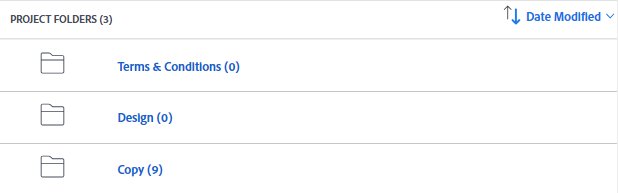
The documents are accessible within the Documents tab of your Workfront tickets. inside are folder where the documents are grouped into.
Types of Documents
Copy
The copy document holds general texts used across builds. Almost every build component requires content, often sourced from this document.
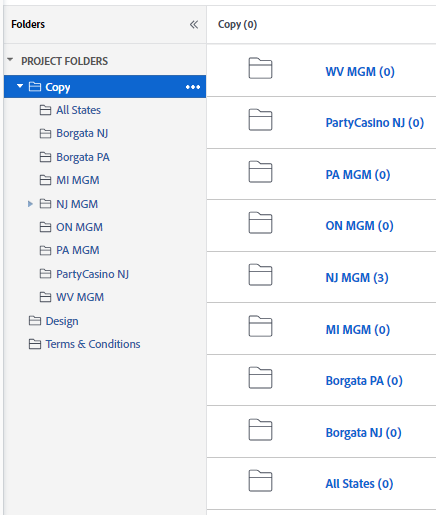
The Copy folder contains the folders for each state, therefore the file will be on the corresponding state indicated on the ticket, unless there are multiple states indicated in which the file will be found on the All States folder
Terms and Conditions
The Terms and Conditions is an important copy that contains the legal agreement between a business and a customer or end user.
Aside from the Terms and Conditions this also contains the How to Paricipate section to be used for the MPP component.
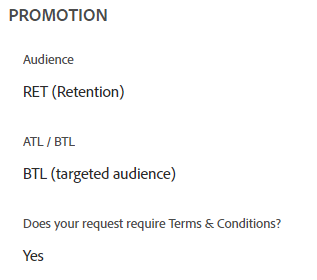
The Project Details tab under the Promotion section contains if the Terms and Conditions copy is required in your builds.
If it is not found on the Documents tab it may be on the Project Details tab, or there some occasions it is mentioned on the Updates tab.
This copy often times needs to be sanitized to remove unwanted characters as it will be converted to be in HTML format. In order to do this, see this guide.
Prize Tool
This is a spreadsheet file that contains the contents for the prize table for Engagement components.
Schedule
The Schedule is a spreadsheet file often containing different tables to display for leaderboard tickets.
For formatting tables see the Table guide.
Downloading the Files
The folders may contain files named Final or folders named Final or prefixed with CHR, this are the versions of the document as changes are requested along the way. To avoid confusion, the general rule is to get the copy that is uploaded on the latest date.
There are instances that older versions may still be used. Please check if it is mentioned on the Updates tab or mentioned by your sub-lead in your ticket assignment.
Cleaning the Contents
Whenever a copy will be converted to HTML it needs to be cleaned, this is because when copying something from a document to a parsing tool like HTMLTidy there will be some unwanted elements that needs to be remove to ensure that the content will render properly when it is displayed on the website.
Here are the list of characters and symbols that needs to be removed:
Unwanted Characters
| Name | Character |
|---|---|
| narrow no-break space | |
| zero width space | |
| no-break space | |
Unwanted HTML Tags
| Name | Tags |
|---|---|
| break line | <br /> |
| emphasis | <em></em> |
There are still instances that these html elements still needs to be used, these HTML elements are mostly removed in the body of the Terms and Conditions.
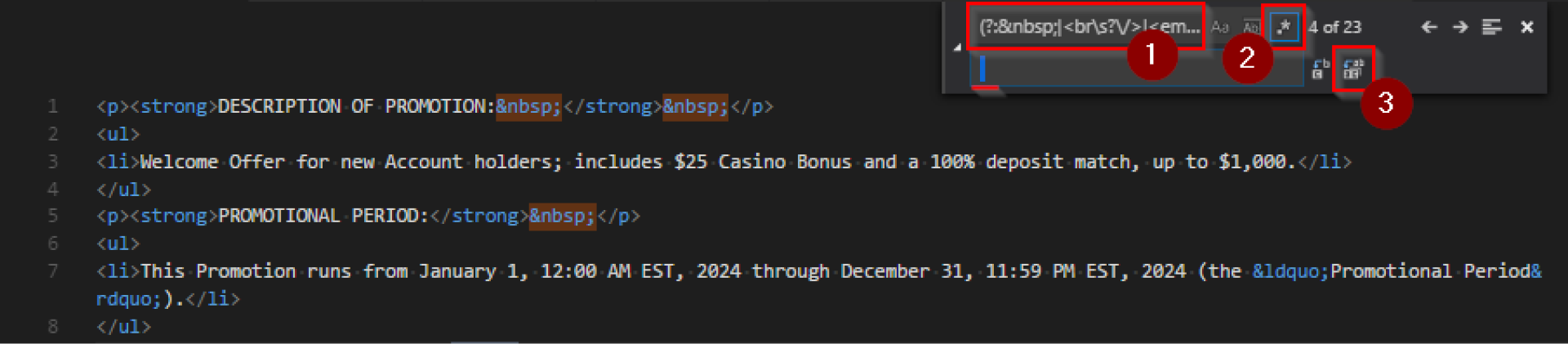
If you have a code editor with a find and replace feature that supports regex, such as VSCode, you can utilize this feature to remove all unwanted elements or characters at once. Copy the following regex and use it for replacement:
(?: |<br\s?\/>|<em><\/em>| |)
Replace all matches with a (space).
Embedding Links
The copywriting team will often include in the copy some words that needs to have a link embedded on it. Usually encase in parenthesis and highlighted in some color.

For this instances, remove the text enclosed in parenthesis and embed the appropriate link for the phrase or word. This can be done by enclosing the text in an <a> tag placing the link on its href attribute.
For smartlinks see this guide.
Formatting
Terms and Conditions Header
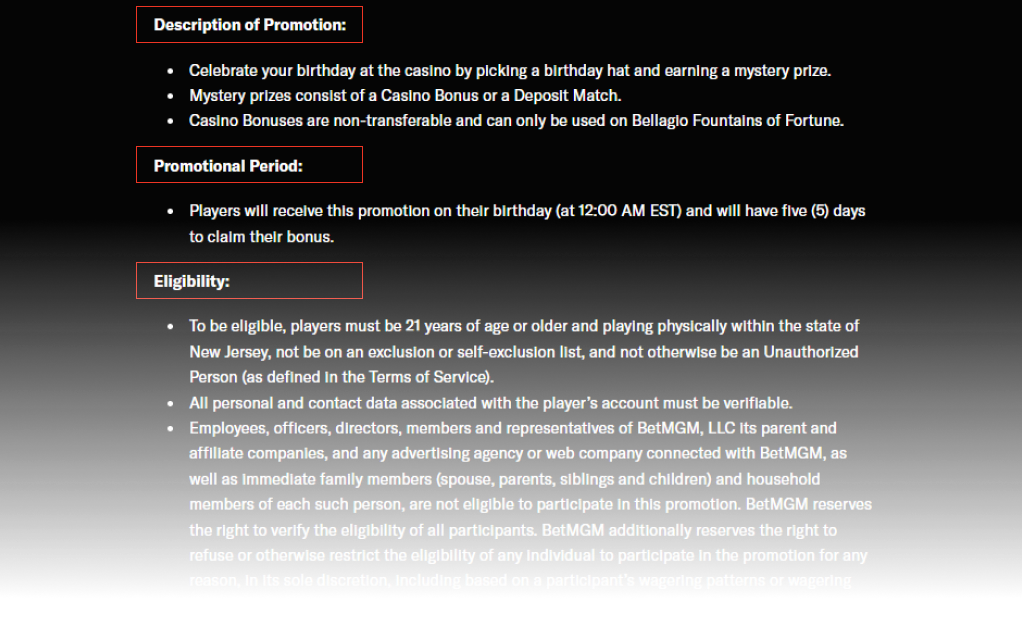
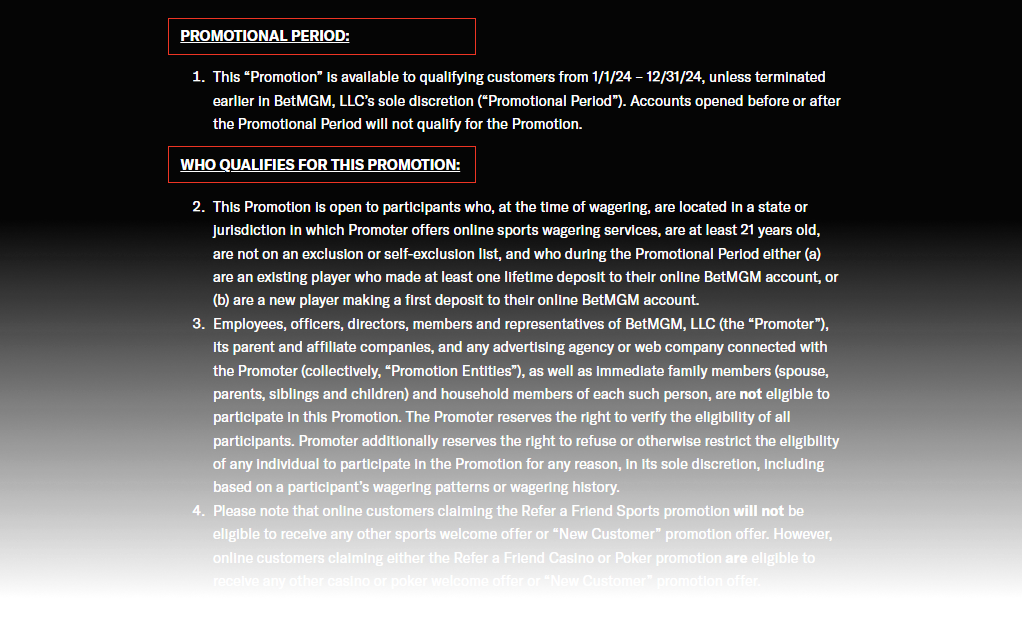
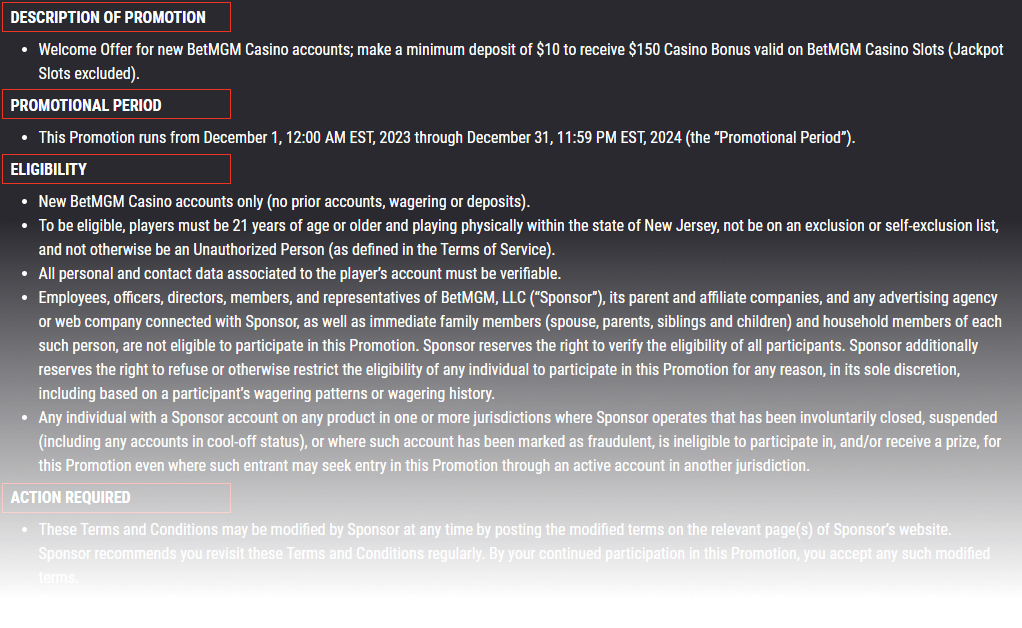
The header of the terms is formatted depending on the brand of the ticket you are working on.
| Ticket Type | Header Formatting |
|---|---|
| Casino MPP | Normal Case with colon |
| Sports MPP | Uppercase Case with colon and underline |
| Landing Page | Uppercase |
Bullets
Long contents in the copy such as the Terms and Conditions and How to Participate have contents placed in bulleted list, depending
| Ticket Type | List Type | HTML Element |
|---|---|---|
| Casino, Poker, and Landing Page | Unordered List | <ul></ul> |
| Sports | Ordered List | <ol></ol> |
- Casino MPP
- Sports MPP
- Landing Page (Casino and Sports)