Poker Carousel
The Poker Carousel is the main attraction of the Poker Page. It shows all the latest promos, Public and Targetted, to the customers.
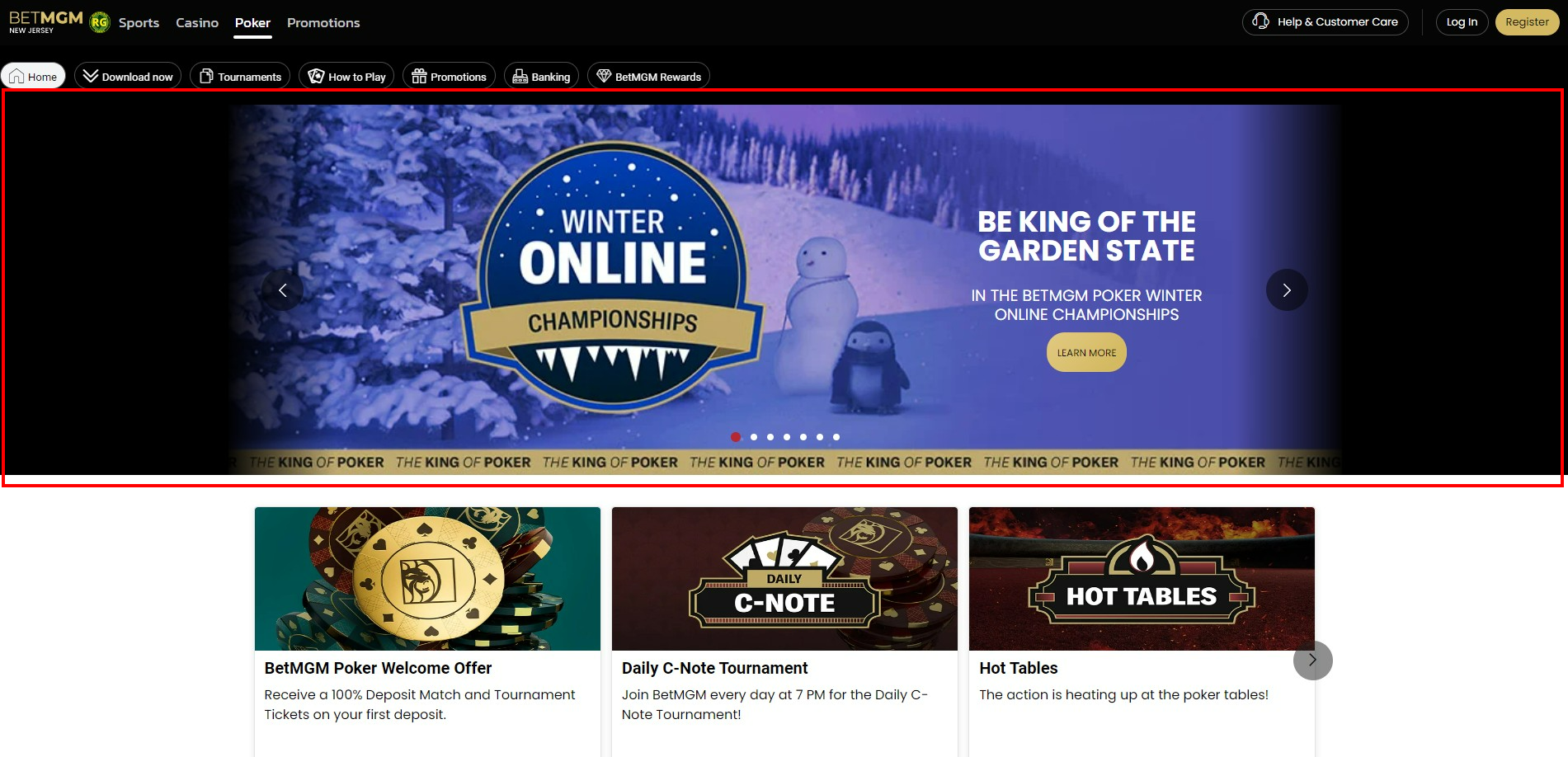
Highlighted in red box is the Carousel
In this section, we will provide the necessary steps in building the Poker Carousel.
Building The Carousel
To create your Carousel, navigate to it's directory:
sitecore > content > Vanilla.Mobile > state/brand > MobilePoker-v1.0 > PokerTeasers
Step 1: Duplicate Carousel Object
Duplicate one of the Carousel object, preferably the poker-manila-template.
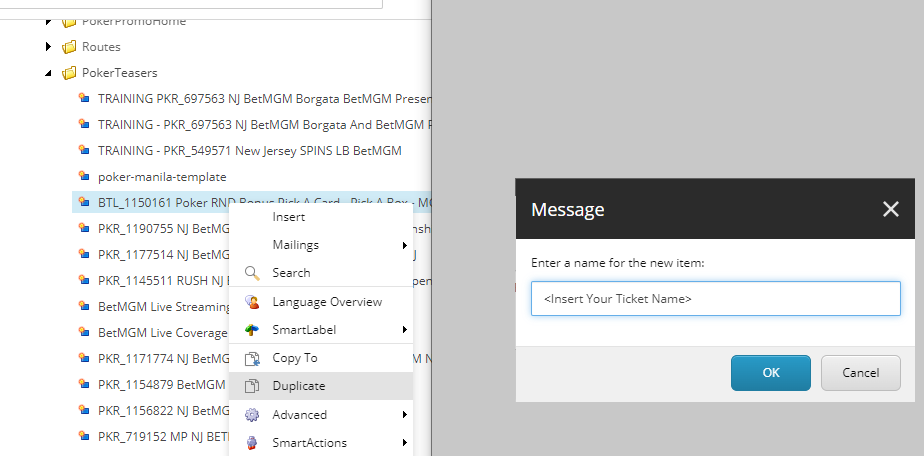
Right-click your desired carousel object, choose duplicate, then rename with your Ticket Name
Step 2: Fill in Teaser & Background Field
Required Fields:
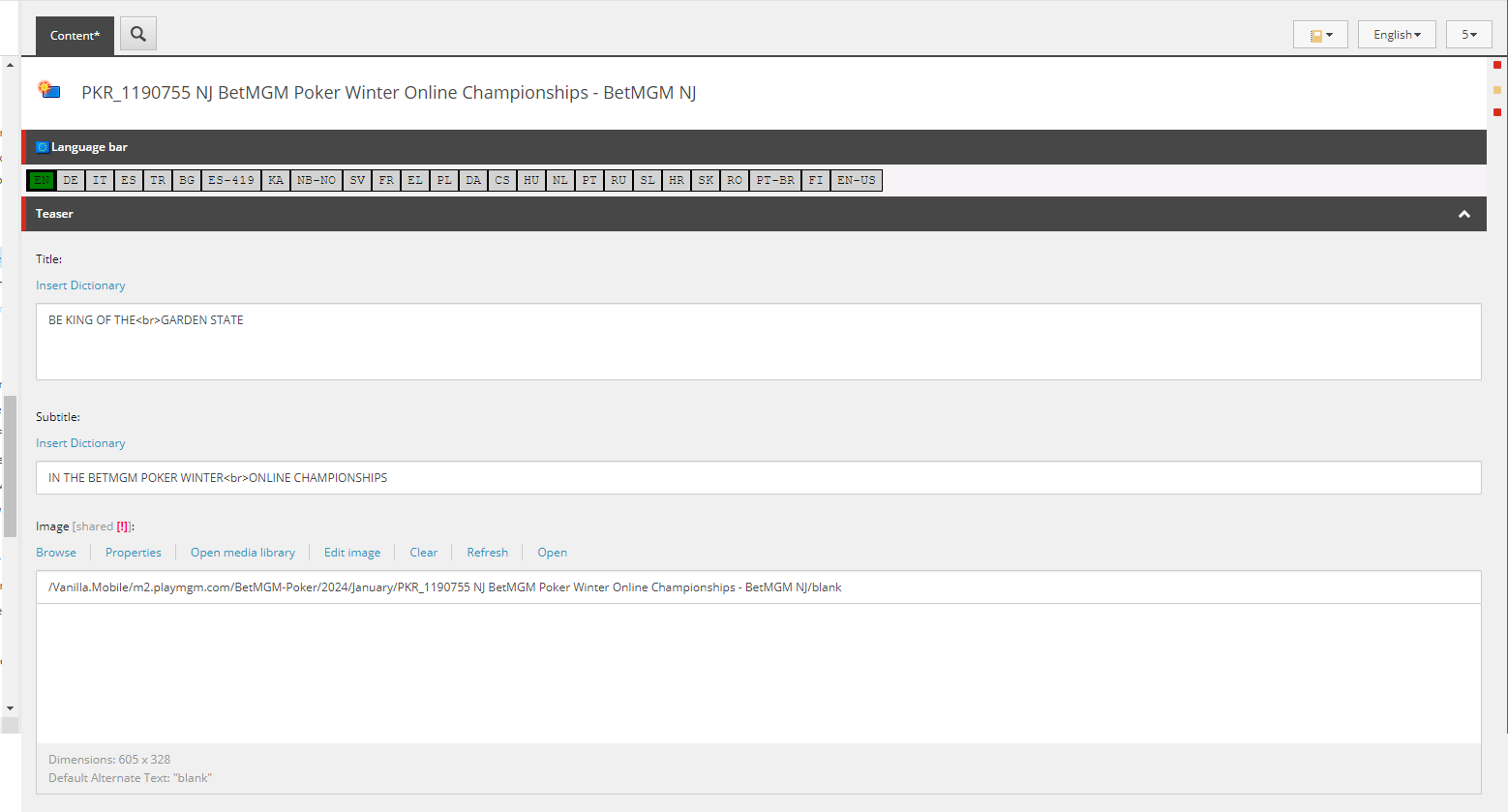
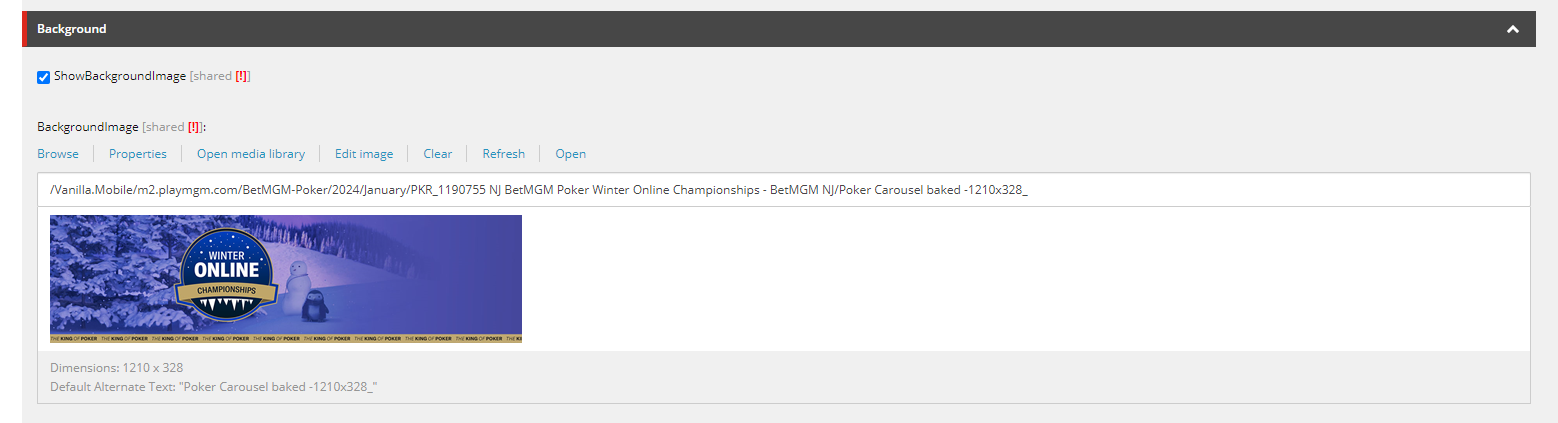
Check your Carousel Assets. *If Poker Carousel baked -1210x328_ is available, then replaced the Asset Carousel PNG-605x328 with a Blank PNG with size 605x328.
Field | Value |
|---|---|
Title | CAROUSEL H1 (from the Copy) |
Subtitle | CAROUSEL H2 (from the Copy) |
Image | Media URL: *Carousel PNG-605x328 |
BackgroundImage | Media URL: Poker Carousel-1210x328 |
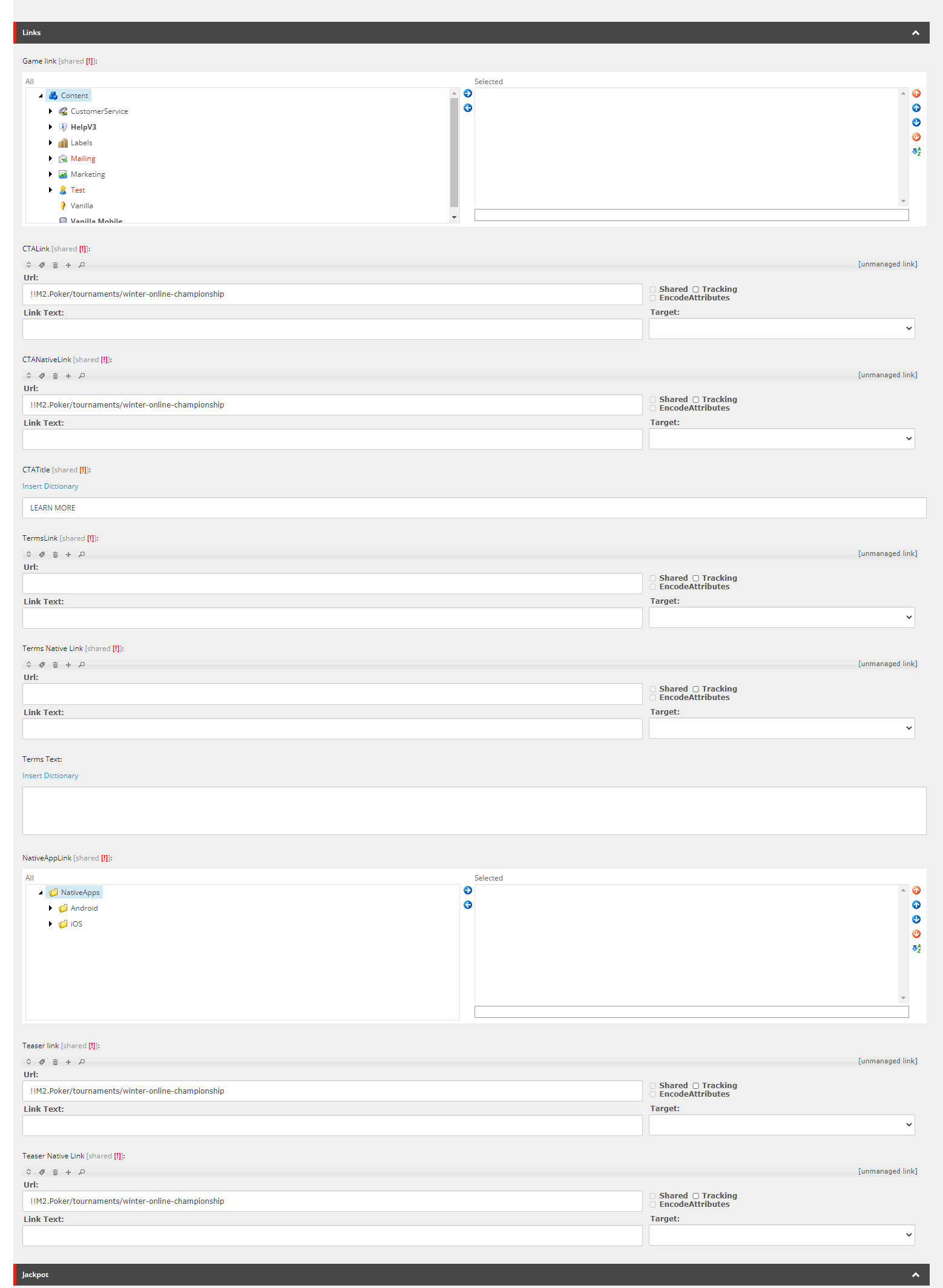
Step 2: Fill in Links
If your build have an MPP or Tourney Page, the Links will be smartlink of your page. Otherwise, check CTA guide for all the List of CTAs.
Step 3: Filter
Don't forget to put filter for new builds
QueryString.Get('qa') = 'manila'
Check your Carousel
To check your carousel, go to your ticket's state website, then put ?qa=manila like see below:
https://poker.nj.betmgm.com/en/poker?qa=manila
Adding this to the URL will lessen your waiting time to check if your Carousel if already Up.
&_nocache=1