Client Overlay
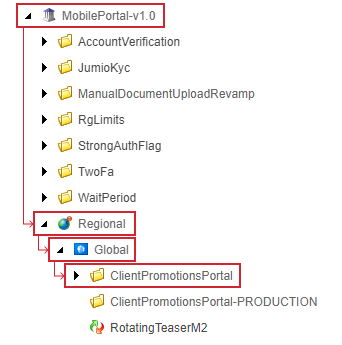
Content Editor > Vanilla.Mobile > m2.state.label > MobilePortal-v1.0 > Regional > Global > ClientPromotionsPortal
Overview
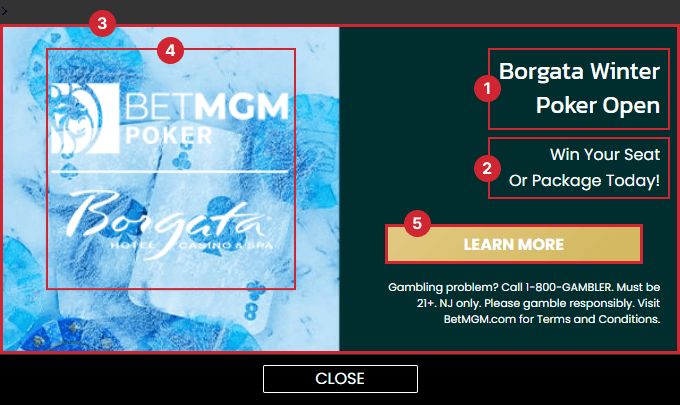
Here's what a client overlay looks like. Note the highlighted elements you need to update and their corresponding fields in Sitecore.
Building in Sitecore
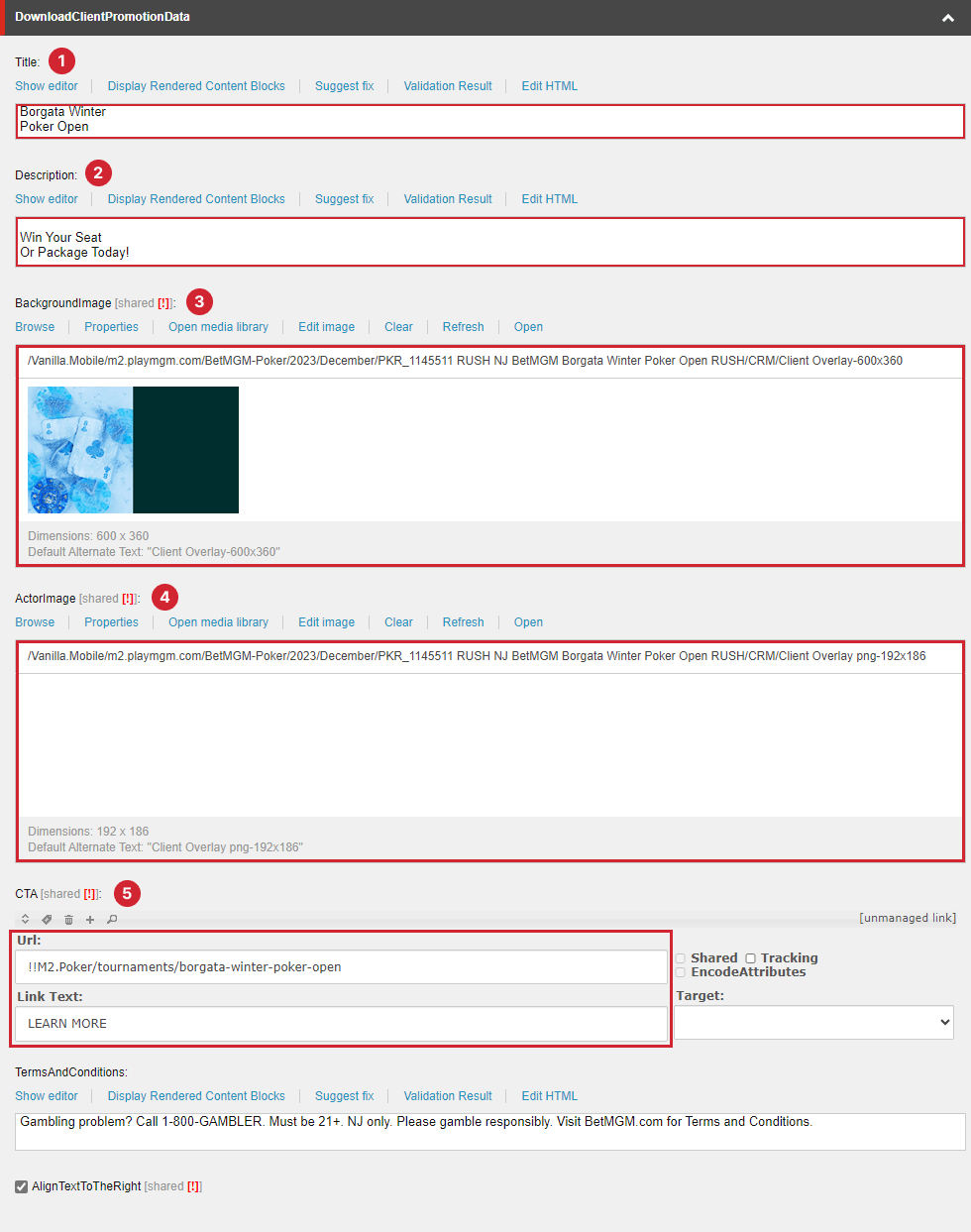
There are only two sections you need to update: the DownloadClientPromotionData and the Filter sections.
DownloadClientPromotionData
Field | Value |
|---|---|
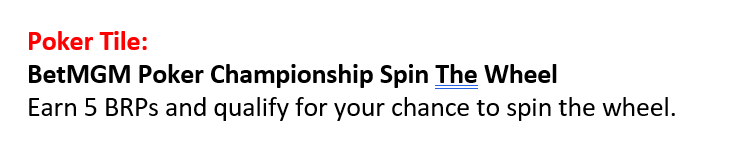
Title | Poker Tile > Title |
Description | Poker Tile > Subtitle |
BackgroundImage | Client Overlay-600x360.jpg or similar |
ActorImage | Client Overlay png-192x186.png or similar |
"CTA Url and Link Text | See CTA guide for more info. Use UPPERCASE for the Link Text. |
TermsAndConditions | Retain existing content. |
Filter
Use your QA filter, e.g., QueryString.Get('qa') = 'manila'
Take a screenshot of the preview
To preview the client overlay, go to the client overlay preview URL, adjusting it based on the state/label of your ticket and the QA filter you used. For example with the filter we used above the preview will be: https://www.borgataonline.com/en/mobileportal/clientplppreview?qa=manila