Coin Flip
Coin Toss and Coin Flip is used interchangeably depending on the promotion, but does not have any differences on the promotion or the mechanics, only on the naming.
- Prize Tool - You'll find this in the Documents section of your ticket's Workfront.
- Coin Images - Look for the
Coin Flip/Toss Assetsfolder in the ticket's creatives.
Teaser
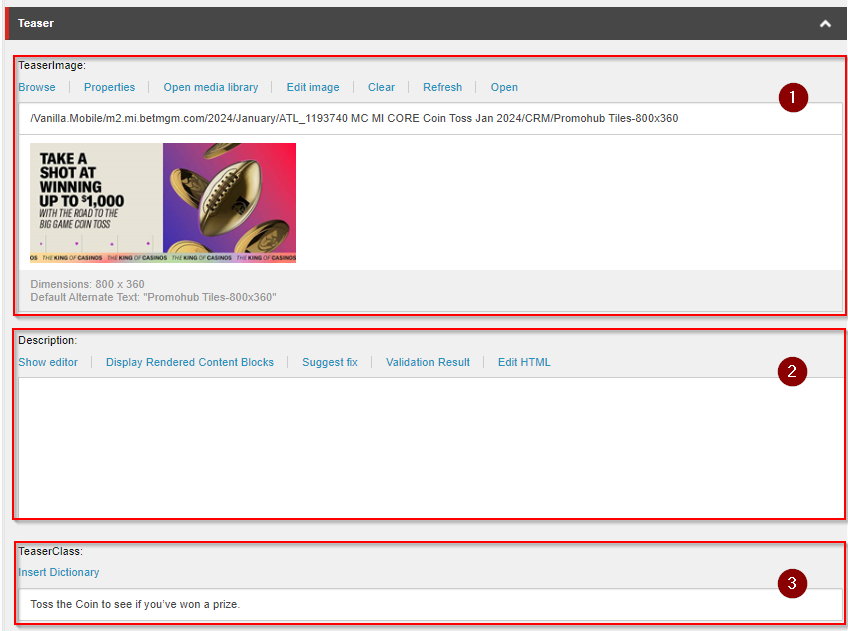
- TeaserImage - Use
Promohub Tiles-800x360image. - Description - Place an empty
<p></p>inside the field. - TeaserClass - Use the
Promo Teaser Sectionvalue from you copy document.
Rewards
The Rewards section is where the contents from the Prize Tool document will be placed. Each row will contain a prize title, an image that is assigned to that specific reward, and a description which contains a message and a CTA to direct the user to either claim or use the reward that has been granted to them.
One difference compared to STW and PAB is that the last row for the rewards is assaigned to a No Prize prize.

-
Title - Place the the contents from the
PRIZEcolumn from thePrize Tooldocument in the same order to the BoxSection'sTitleRows. -
Image - We can use the 3
500x500images each prize except for theNo Prizerow.For the
500x500images there are theCoin 1,Coin 2, andReward Coinimages, each for the rewards. But there are instances that there are 4 rewards, in this case it would be fine to reuse any of the earlier mentioned images.For the
No Prizerow we will use theReward Coin 120x120image.
Use the image url by clicking the `Open` link of the image on the Media Library. And copy the link on the URL and paste on the `Rewards` table.
- Description - The
Descriptioncolumn's value will be the value from thePRIZE DESCRIPTIONcolumn from thePrize Tooldocument, but it should be inserted in the HTML format shown below, just replace the appropriate value to be the same from yourPrize Tooldocument.
<div class="overlay-header">
<h1 class="mb-1 mt-0">Congratulations!</h1>
<h2 class="mb-2 mt-1">You won a prize in the Road to The Big Game Coin Flip promotion.</h2>
<p class="mb-2">Enjoy 10 Bonus Spins on Bankin' Bacon™.</p>
<p class="mb-2">T&Cs apply.</p>
<div class="mt-2">
<a class="btn btn-primary" href="{Reward CTA URL}">{Reward CTA Text}</a>
</div>
</div>
For the No Prize row the value for the Description is provided below:
<h1 class="mb-1 mt-0">Sorry!</h1>
<h2 class="mb-2 mt-1"><strong>You didn’t win anything today.</strong></h2>
<p class="mb-1">Come back tomorrow to flip again!</p>
<div class="mt-2"><a rel="noopener noreferrer" class="btn btn-primary" href="!!M2.CasinoHome">Home</a></div>
See the CTA guide to use the correct CTA for each description.
Terms
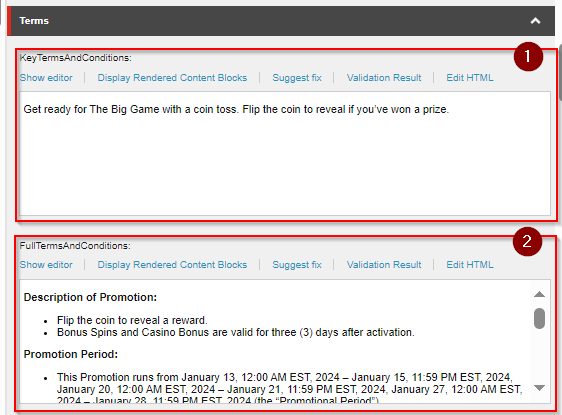
KeyTermsAndConditions
The value for this field will be from the Promo Hub Key Terms > Short Summary from the copy.
Enclose this content with the <p></p> tag
FullTermsAndConditions
Place the same Terms and Conditions content you have placed for the MPP or Rest ID components if you have created any. For a full guide see this section.
Overlay
The content for this field is referenced from the Eligibility section of your Terms and Conditions document. Update the list and use the first three items from the section.
See the HTML below for reference, replace some of the contents to match the contents from you document.
<p>Sorry, you’re not currently eligible for this promotion.</p>
<p>To qualify, players must meet the following criteria prior to the start of today’s promotion:</p>
<ul>
<li><strong>Existing BetMGM Casino account (“Account”) holders.</strong></li>
<li><strong>To be eligible, players must be 21 years of age or older and playing physically within the state of Pennsylvania, not be on an exclusion or self-exclusion list, and not otherwise be an Unauthorized Person (as defined in the Terms of Service).</strong></li>
<li><strong>All personal and contact data associated to the player’s account must be verifiable.</strong></li>
</ul>
CTA
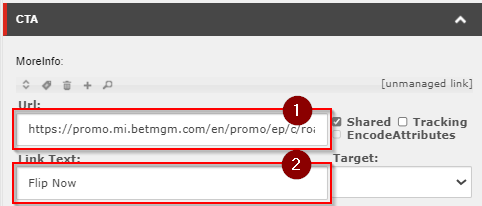
- URL - Place the link to the game with the PAT ID of the same PAT you are working on currently
!!M2.Promo/ep/c/{Coin Flip Layout Name}?id={PAT ID}
- Link Text -
"Flip Now or Toss Now"depeding on the promotion name.
Toss
Refer to the AssetsAndContent section for the Coin Flip Layout page as the content will be the same.
Media Content
Refer to the MediaContent section for the Coin Flip Layout page as the content will be the same.